No unsigned update is ever accepted
Every Égide update is cryptographically signed. Your phone rejects any version not signed with our key.
Endless, flawless.
Égide watches over your phone continuously and wipes your confidential data before any outside hand can reach it. For those whose safety and confidentiality are non-negotiable.
See how Égide protects your phone, from first setup to emergency wipe.
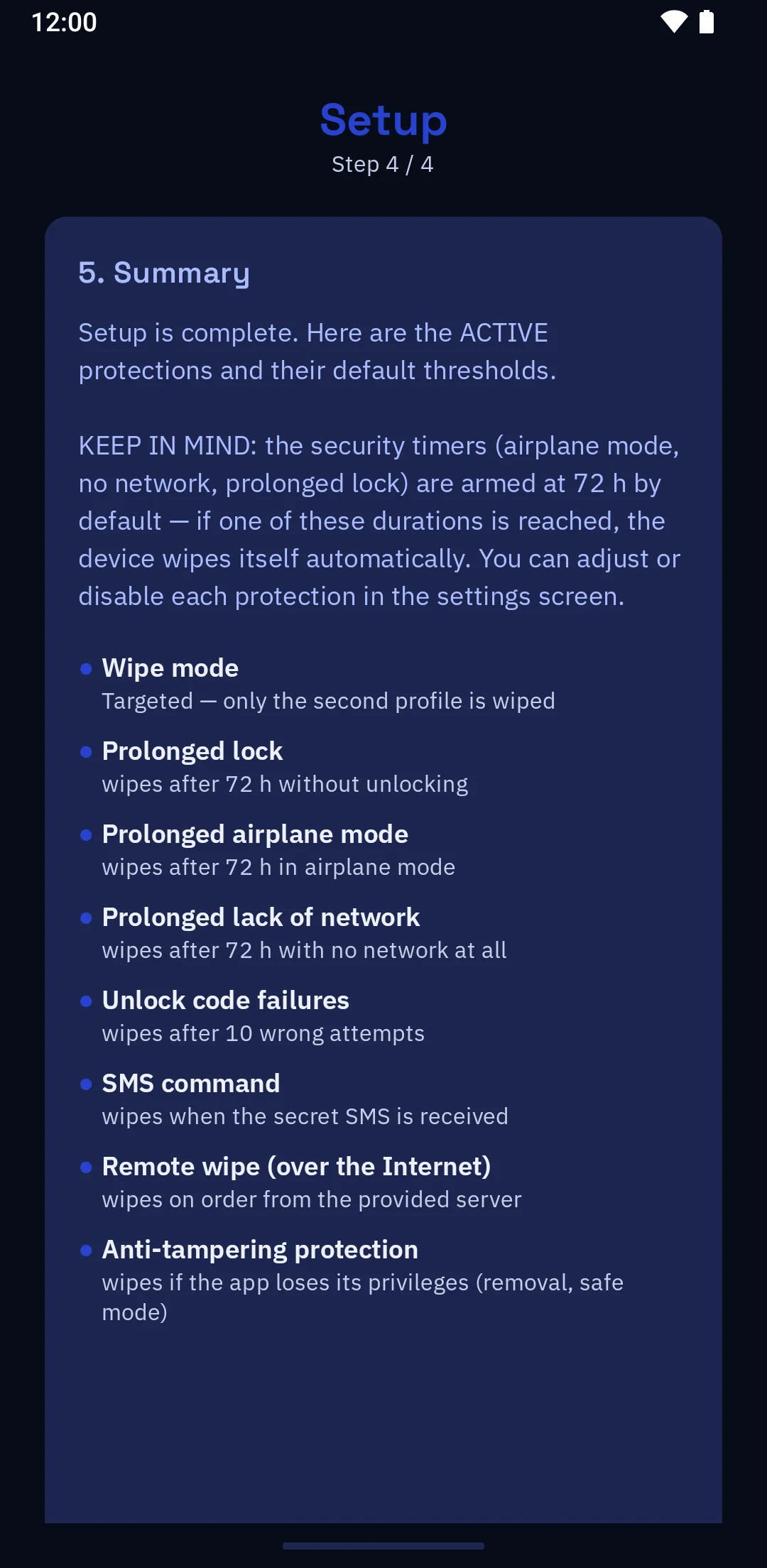
Égide watches over your phone at all times. It looks out for danger signals: repeated wrong codes, a device locked for too long, an attempt to neutralise it. It also obeys your remote wipe order, and reacts to the network being cut off. In every case, it makes your sensitive data disappear before an unfamiliar hand reaches it. Encryption protects that data at rest; Égide decides when to erase it, according to your rules.
Wherever you are, you order the wipe by SMS from a phone, or over Tor from a computer. It wipes the protected data, even if the phone is locked; if it is off the network, the wipe goes off as soon as it finds it again.
Repeated wrong codes, a phone locked for too long: timers armed at all times trigger the wipe, with no action from you.
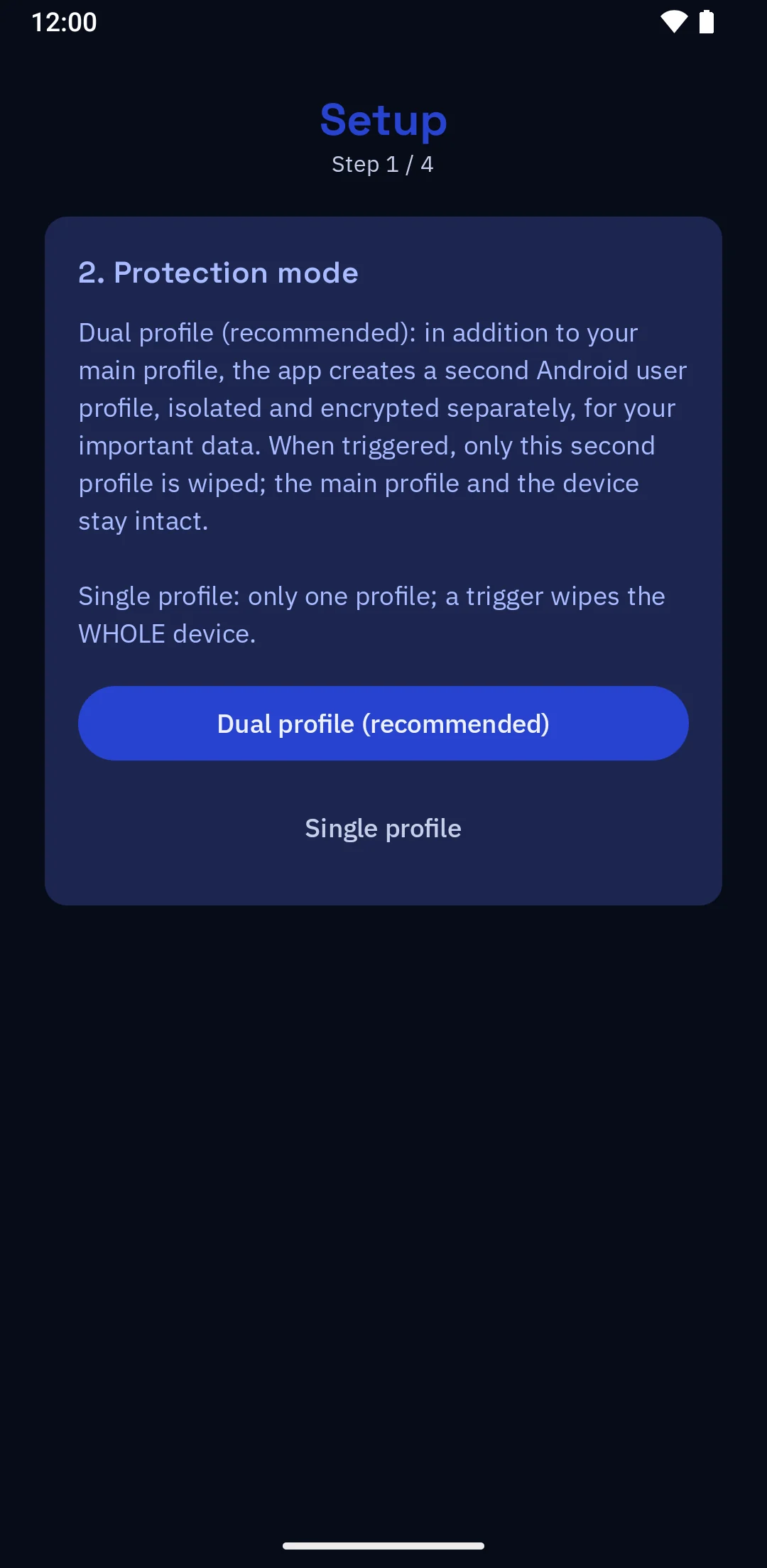
Your sensitive data can reside in a separate profile dedicated to your professional activities. If Égide triggers, only that dedicated profile disappears. The rest of the phone stays intact.
Any attempt to disable Égide, to boot without protection or to strip it of its rights triggers an immediate and permanent wipe.
If you want it to, Égide leaves the phone's app list: in its place, an ordinary utility that works entirely on its own. Égide's interface reopens when you type into it an opening code that you choose yourself. Meanwhile the protections keep running without interruption.
Some options are part of the premium options. The detail of both
A tool for those who inform, defend and protect, and whose phone contains information that must disappear rather than be disclosed.
« Those who would give up essential Liberty, to purchase a little temporary Safety, deserve neither Liberty nor Safety. »
Benjamin Franklin, Pennsylvania Assembly, 1755
Égide is an application developed by EndlessLock. It installs only on a Google Pixel phone running GrapheneOS, with no particular technical skill required.
A Google Pixel, from the Pixel 7a onward, bought unlocked and not tied to a carrier. No other phone will do: GrapheneOS supports only Pixels, the only devices that offer the hardware guarantees it requires.
Pixel 7a or newerBack up what you want to keep, then turn on OEM unlocking and USB debugging in the developer options. There is nothing to buy, nothing to pay, no account to create and nothing to ask us for.
Free, no authorisationThe web assistant installs GrapheneOS then Égide on your Pixel, entirely from your browser. You choose your protection mode, single profile or dual profile with a separate secret space, and your remote wipe program is created on your side, never on ours.
Fully guidedAutomatic watchdogs and tamper resistance stay active at all times, even when the phone is locked, and with nothing to pay. Wiping ordered remotely, on the other hand, works as long as your premium does: 30 days are included to begin with.
Always on, no action required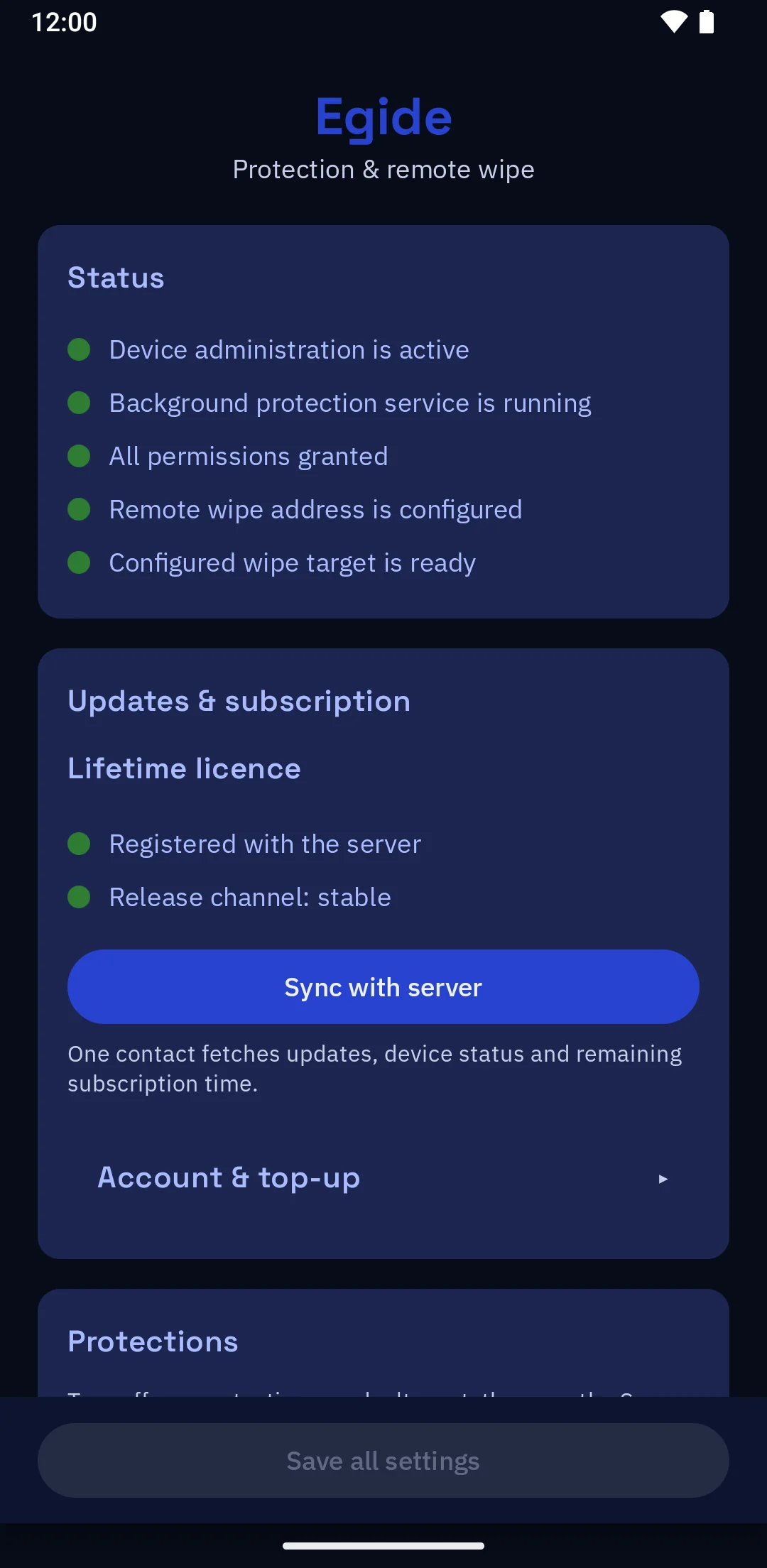
Most products ask you to trust them. We designed Égide so that you do not have to. Here, in concrete terms, is what an adversary cannot obtain, even if our servers are compromised or one of us comes under pressure.
Every Égide update is cryptographically signed. Your phone rejects any version not signed with our key.
Your remote wipe program is built in your own browser and never transmitted to our servers. We do not hold it. You alone, or the person you entrust it to, can order the wipe.
If we were hacked, an attacker would find there neither your identity nor any means of reaching your phone: there is no account and no database here. And the program that wipes your device is generated on your side, never on ours.
No account, no e-mail address, no name, no number, no access log. Details in our privacy policy.
You choose what your purchase reveals about you. With Monero, no third party is involved and we ask for neither a name nor an e-mail address. By bank card, it is simpler, but your bank and our provider see the purchase. Compare the two
GrapheneOS is downloaded and verified from its official servers, not ours. The phone's verified boot rejects any unsigned system. Trust is cryptographic, not contractual.
And the part of Égide that decides to erase is published: you can read those rules and run their tests. What is published, and what is not
| Capability | GrapheneOS alone | GrapheneOS + Égide | Conventional anti-theft (“find my device”) |
|---|---|---|---|
| Works without a cloud account or identity | Yes | Yes | No, Google/Apple account required |
| Wipe triggered by a duress code | Yes, the duress code wipes the whole device and its eSIMs | Yes, and the wipe can target the protected space only | No |
| Automatic return of the locked device to rest | Yes, reboot after 18 hours by default, putting data back at rest | Yes, inherited from the OS | No |
| Remote wipe | No, no such feature | Yes, by SMS or over Tor | Yes, but through the vendor |
| Automatic wipe without any action on your part | No, the reboot puts data at rest, it does not wipe | Yes: wrong codes, prolonged lock, phone cut off from the network | No |
| Wipes even while offline | No, no automatic wipe | Yes, on-device automatic watchdogs | No, the device must be powered on and connected to the internet |
| Impossible for a vendor to wipe or locate | Yes, no server is able to | Yes, the wipe program exists only on your side | No, the vendor can, and can be compelled to |
| Resists its own deactivation | No, settings remain changeable once the device is unlocked | Yes, any attempt to disable it triggers the wipe | No |
| Separate encrypted space for sensitive data | Yes, isolated user profiles | Yes, and only that space vanishes, the phone stays ordinary | No, everything in one space |
| Obtained without personal data | Free, nothing to ask for | Free, no account, no identity tied to the device | No, account creation required |
GrapheneOS is an independent project. This table reflects our reading of its public documentation as of 24 July 2026; it implies no affiliation with, or endorsement by, that project.
« Arguing that you do not care about the right to privacy because you have nothing to hide is like saying free speech does not matter because you have nothing to say. »
Edward Snowden
You install Égide yourself on your own Pixel, guided step by step by our web assistant. No phone is shipped: your device never passes through our hands, and no particular technical skill is required.
Égide is not for sale: installing it is free and open. Some protections are part of a premium service.
A question before you start? Contact support